New Add-On: Uploading PixElement Desktop Projects Directly to the Cloud
Desktop users can now upload projects directly from PixElement Desktop to the PixElement Cloud platform, making it easier to move completed projects online for sharing, support, and continued access.
With the new Upload to Cloud module, you can take an existing Desktop project and transfer it directly to your cloud account without rebuilding the project or manually moving project files.
Why Upload a Desktop Project to the Cloud?
Process Locally, Share Online
Use your workstation’s power,
then upload for easy online access.
Simplify Project Delivery
Share a link so clients can
explore results in their browser.
Encourage Stakeholder Feedback
Review key areas together
and discuss next steps.
How to Upload a Desktop Project to the Cloud
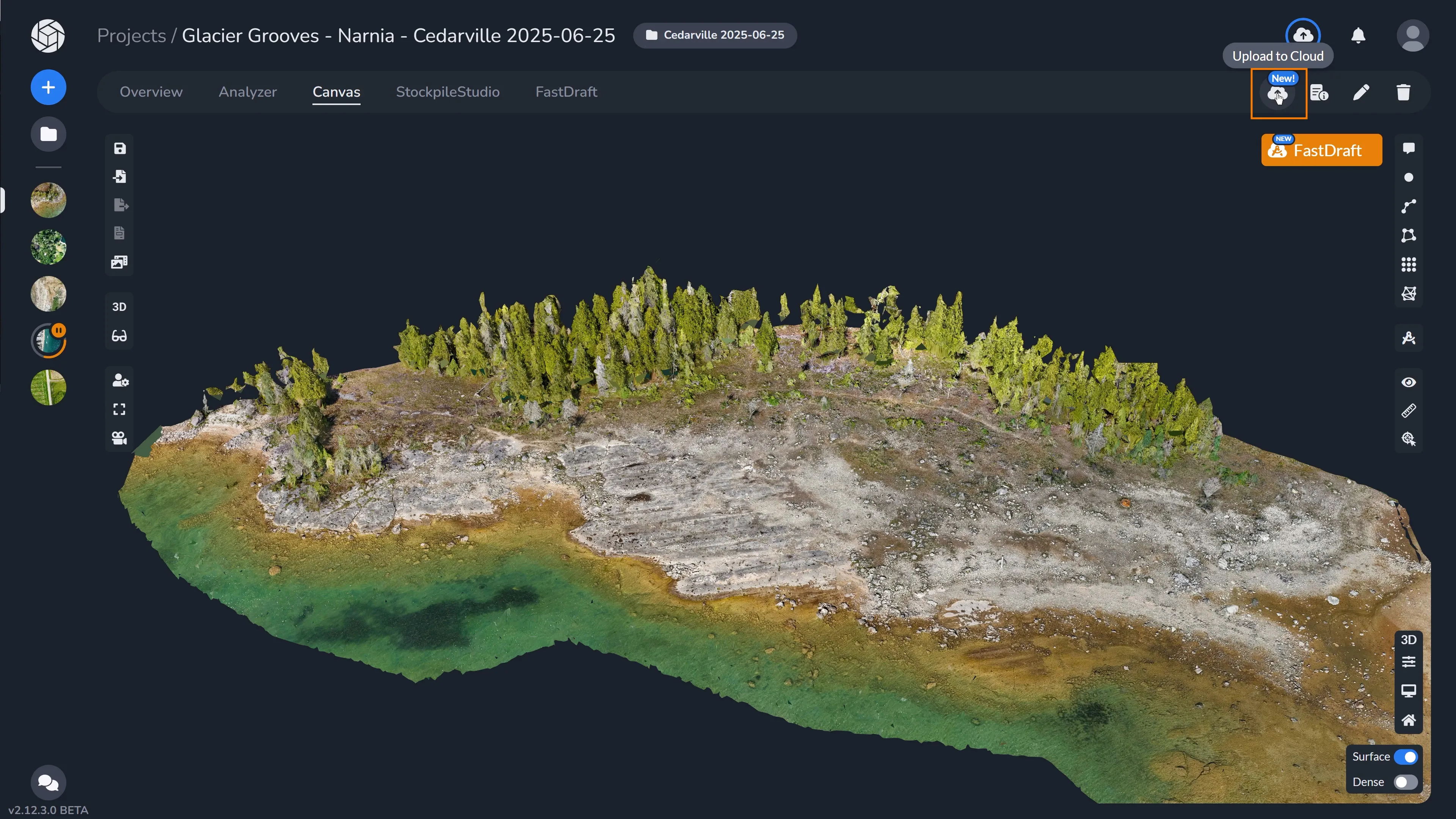
To begin, open the project you want to transfer in the Desktop application. Select Upload to Cloud in the top menu bar.
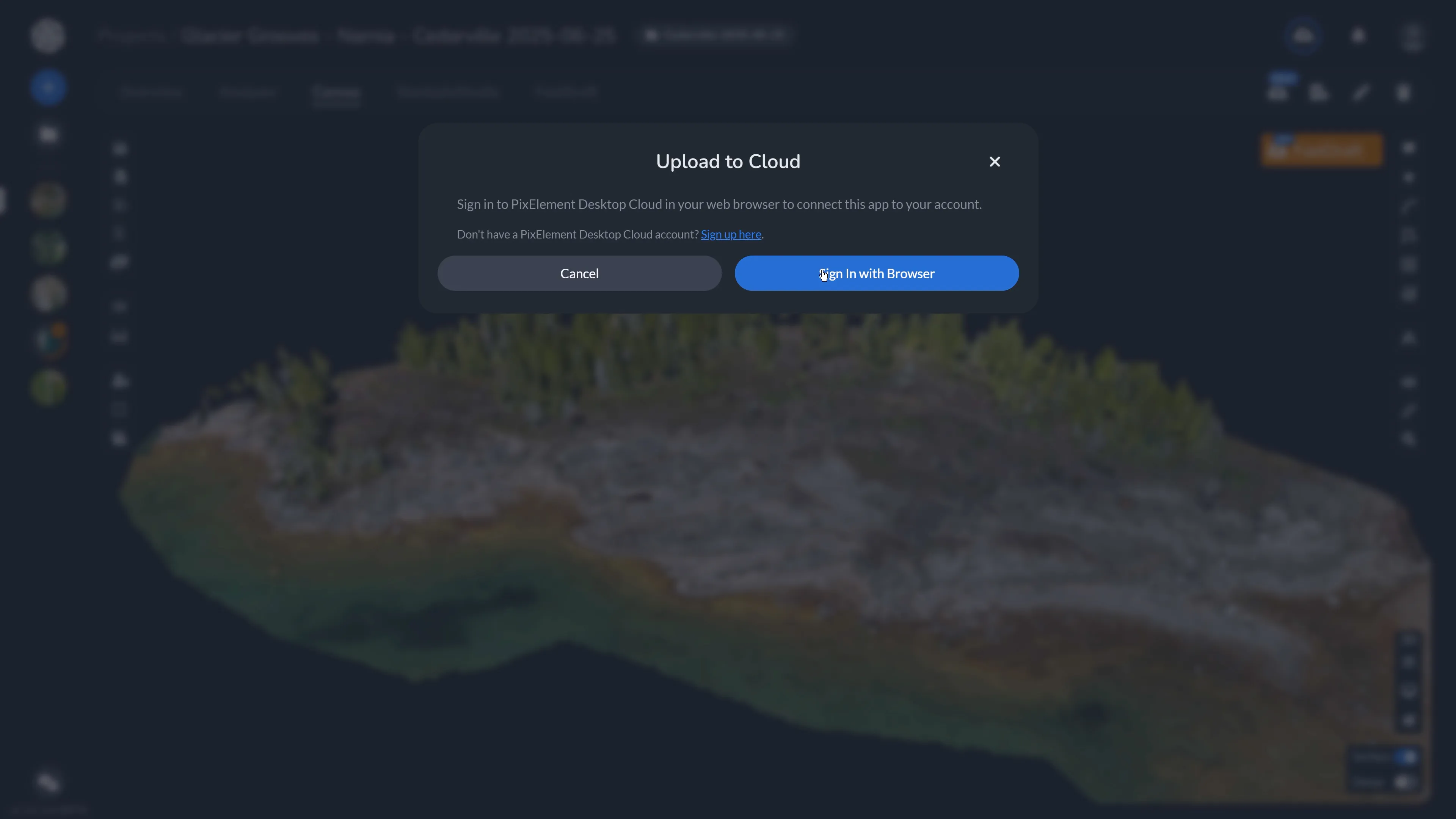
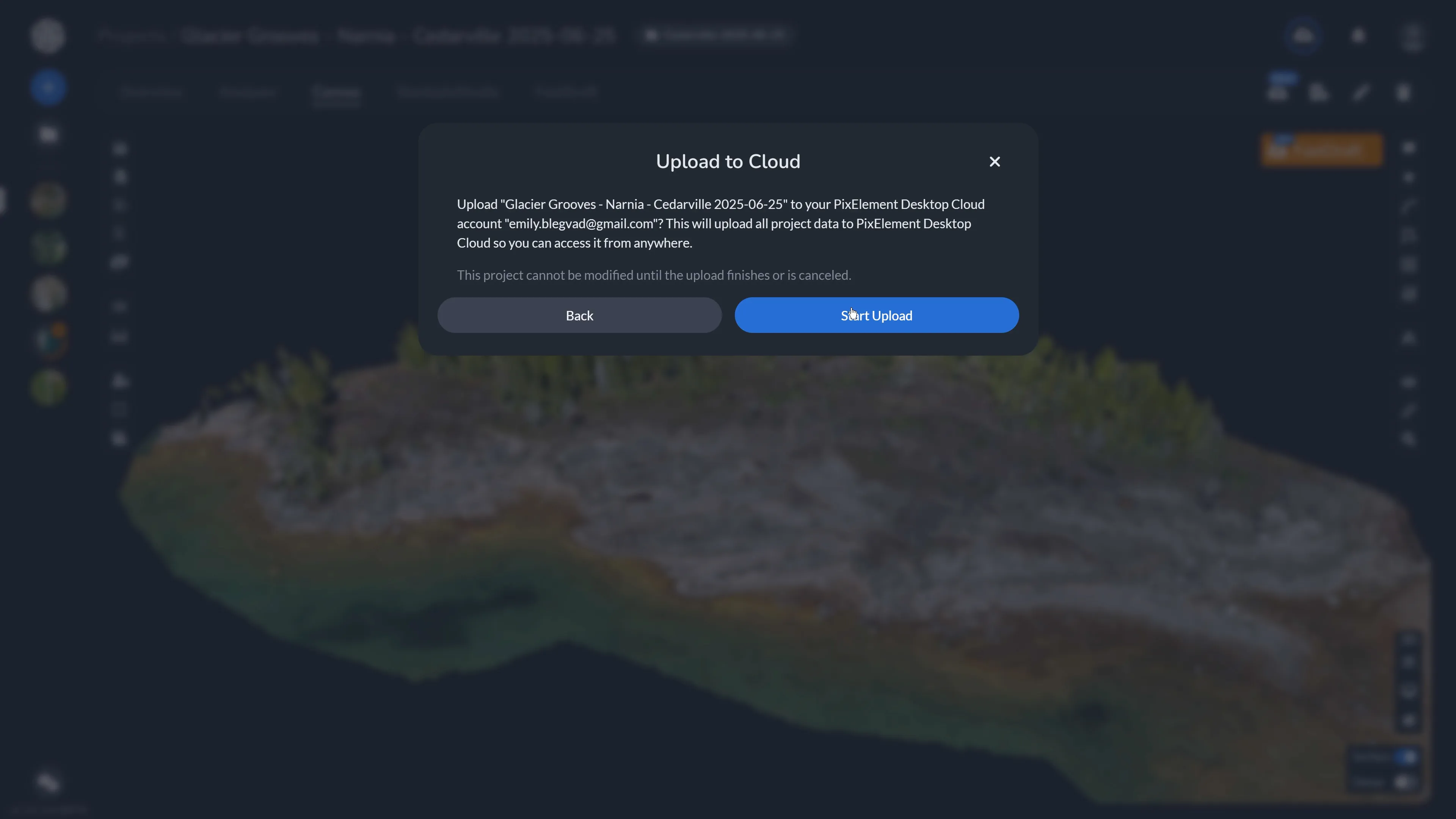
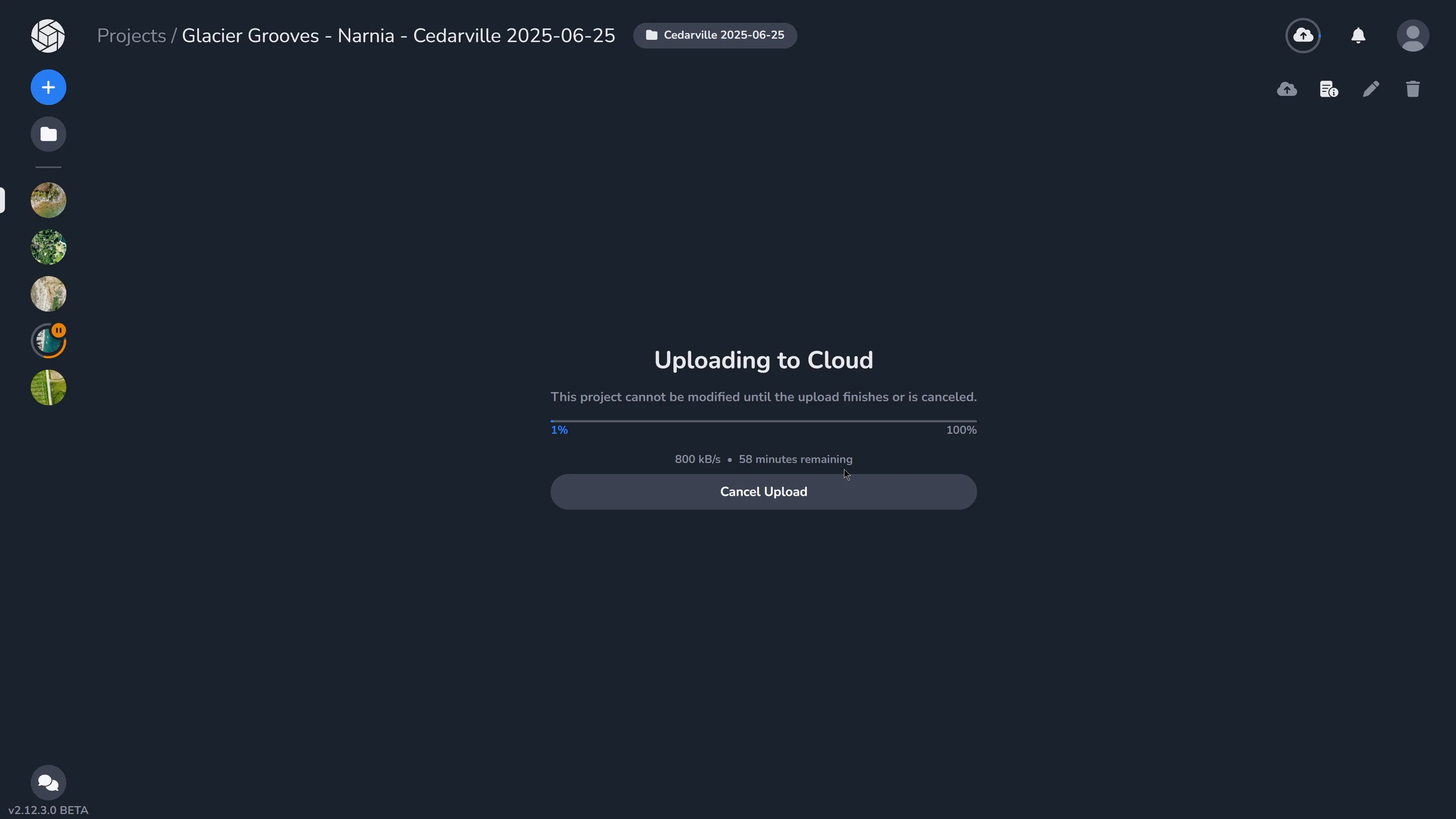
You will then be prompted to sign in to your Desktop Cloud account. The program will prepare the project and begin uploading it to your Cloud account. During the transfer, the program displays the upload progress, current transfer speed, and estimated time remaining.
Because the project is actively being transferred, it cannot be modified until the upload has either finished or been canceled.
For larger photogrammetry or LiDAR projects, upload time will depend on the size of the project and the speed of your internet connection.
What Happens After the Upload?
Once the upload is complete, the project becomes available through the Cloud platform, making it easier to share results or provide the support team with access when troubleshooting a project.
You can access it by navigating to the cloud icon on the desktop app within the project or by viewing your projects in the browser on your cloud account. Rather than continuously synchronizing Desktop and Cloud in the background, project transfers are initiated by the user. This keeps you in control of when large datasets are transferred between your local workstation and the Cloud.
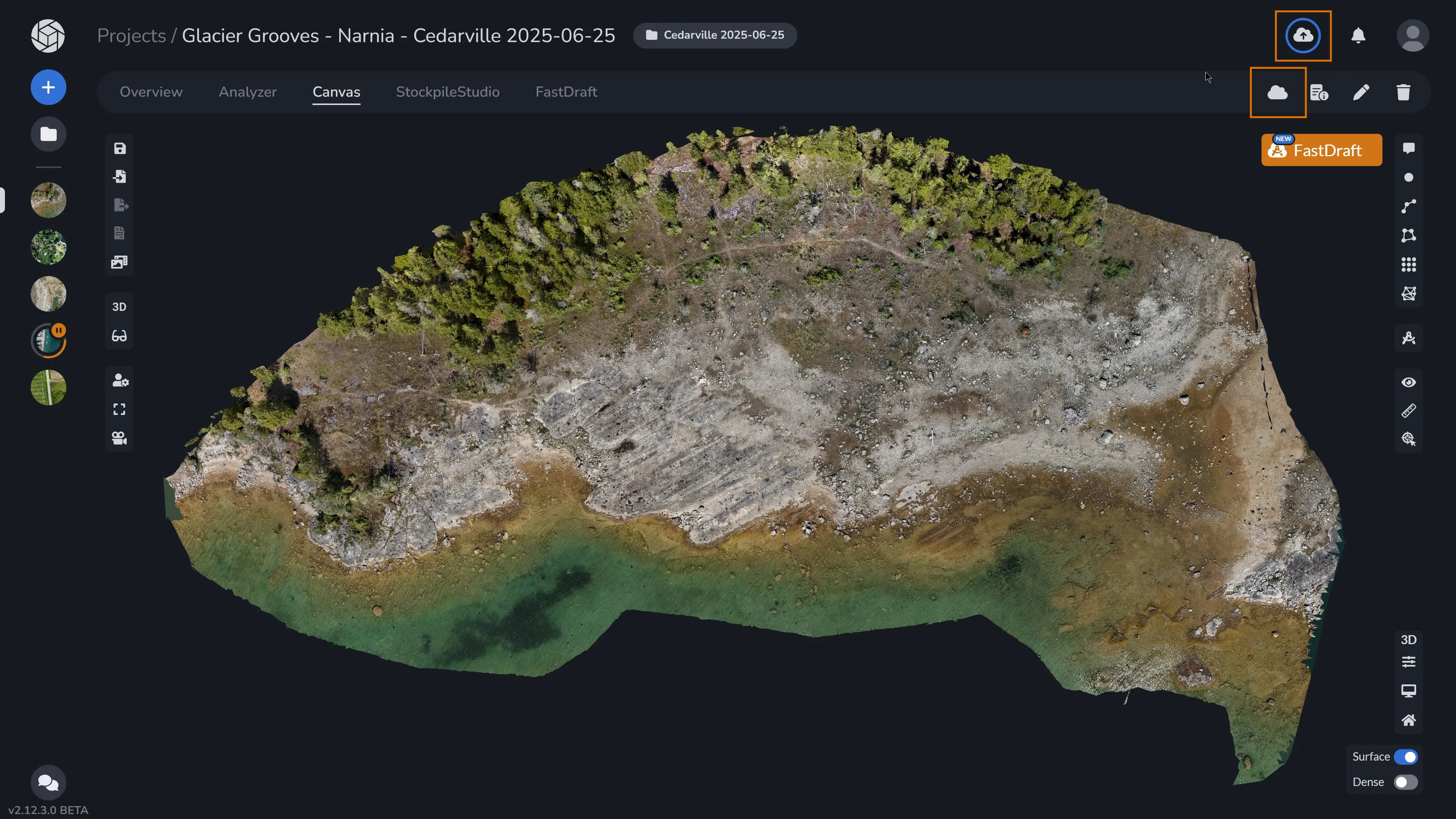
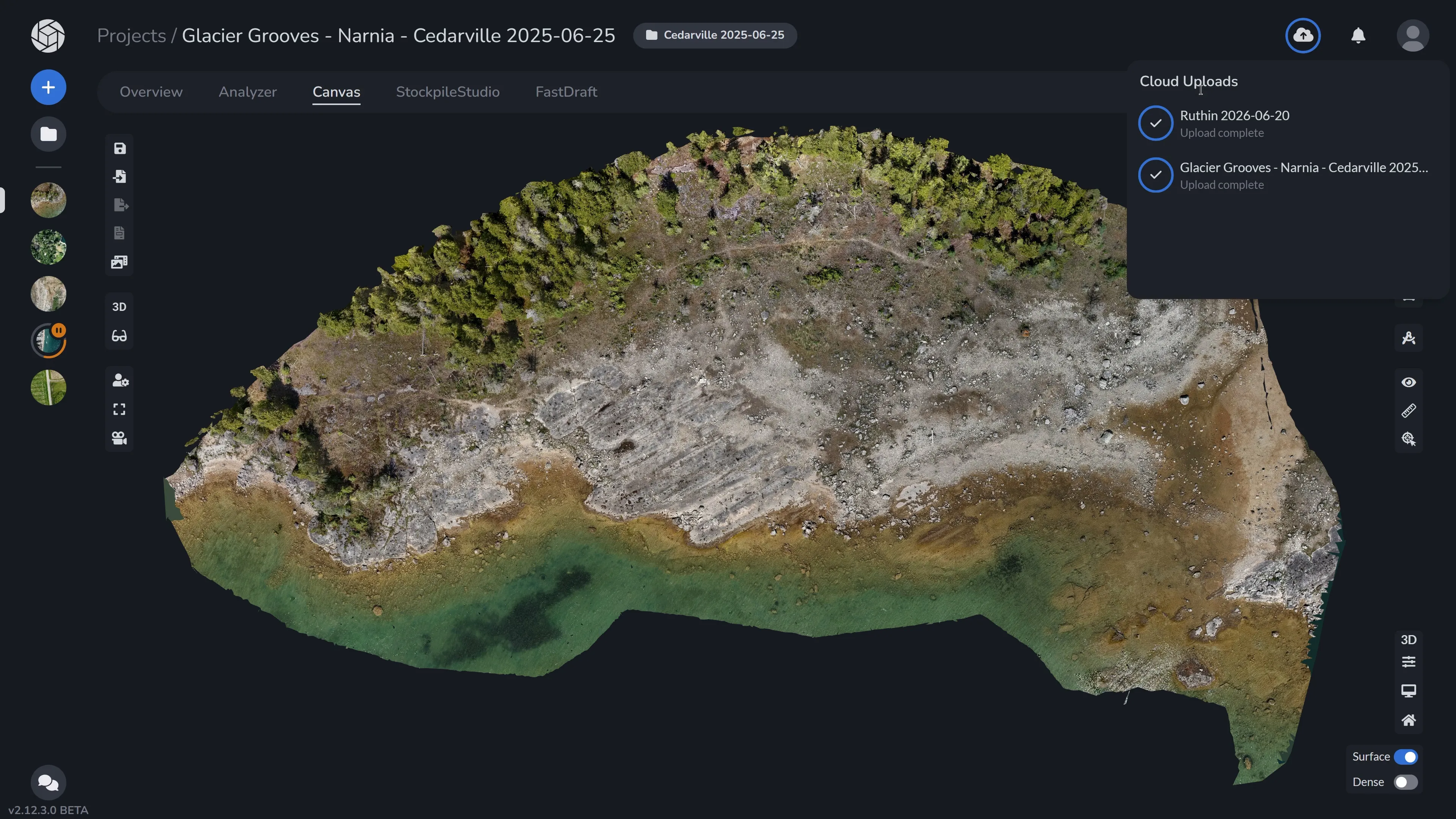
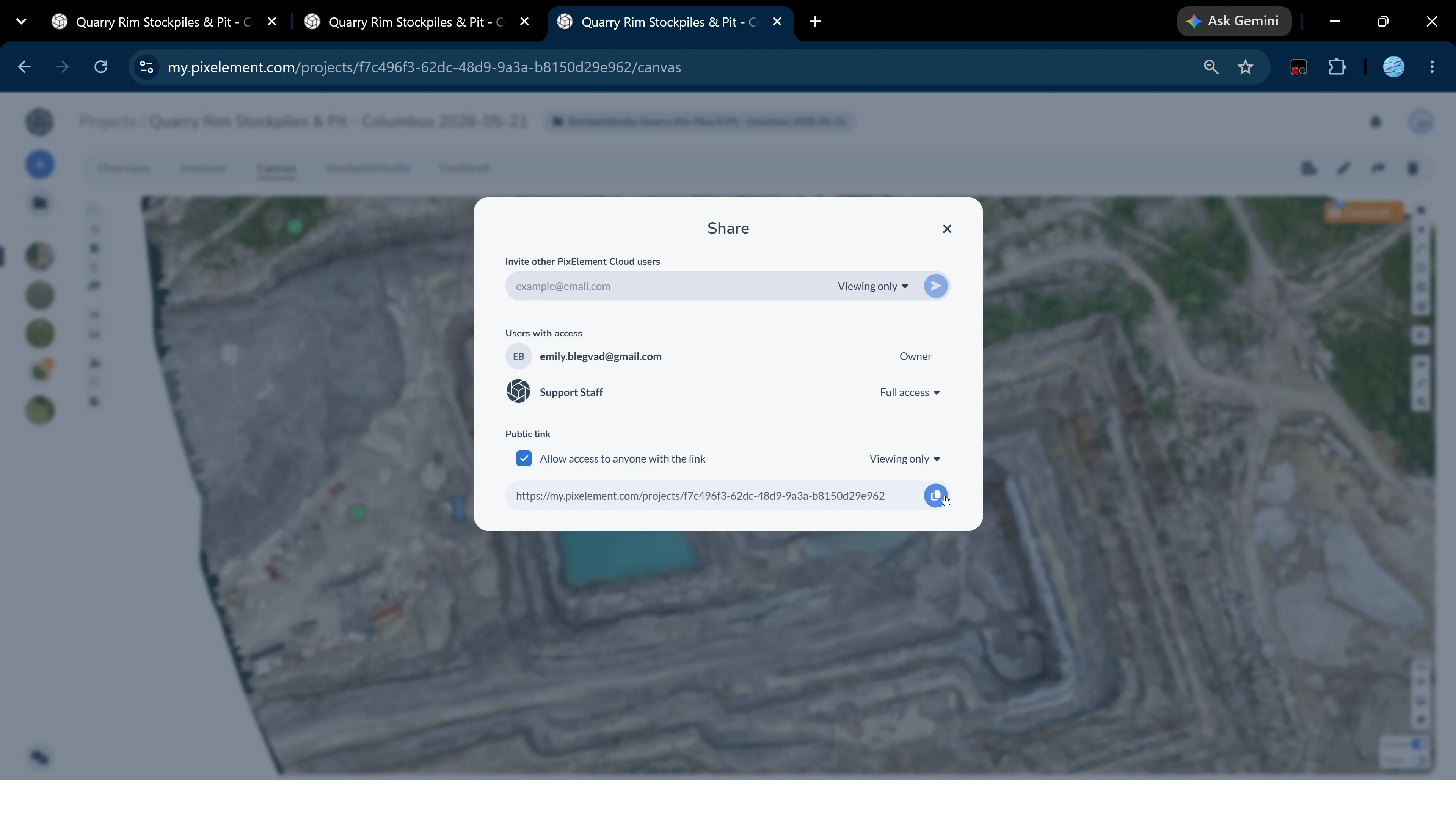
Accessing Upload to Cloud
The Desktop-to-Cloud add-on module is available for purchase in-app or through our Pricing page.
Bringing Desktop and Cloud Together
Desktop provides the flexibility to process photogrammetry and LiDAR projects using your own workstation and local computing resources. The Cloud provides an accessible environment for viewing, sharing, and supporting those projects online.
With direct Desktop-to-Cloud uploads, your workflows no longer have to remain separate between Desktop and Cloud.
You can process locally when it makes sense, and upload to the Cloud when you need to share, access, or troubleshoot your project.